
By Shamir
Best IPTV Player with Cloud Sync Across Devices (2026)
The short version: Tuneline syncs your playlists, favorites and watch history across every device you sign in on. Here's the app signed in and synced.
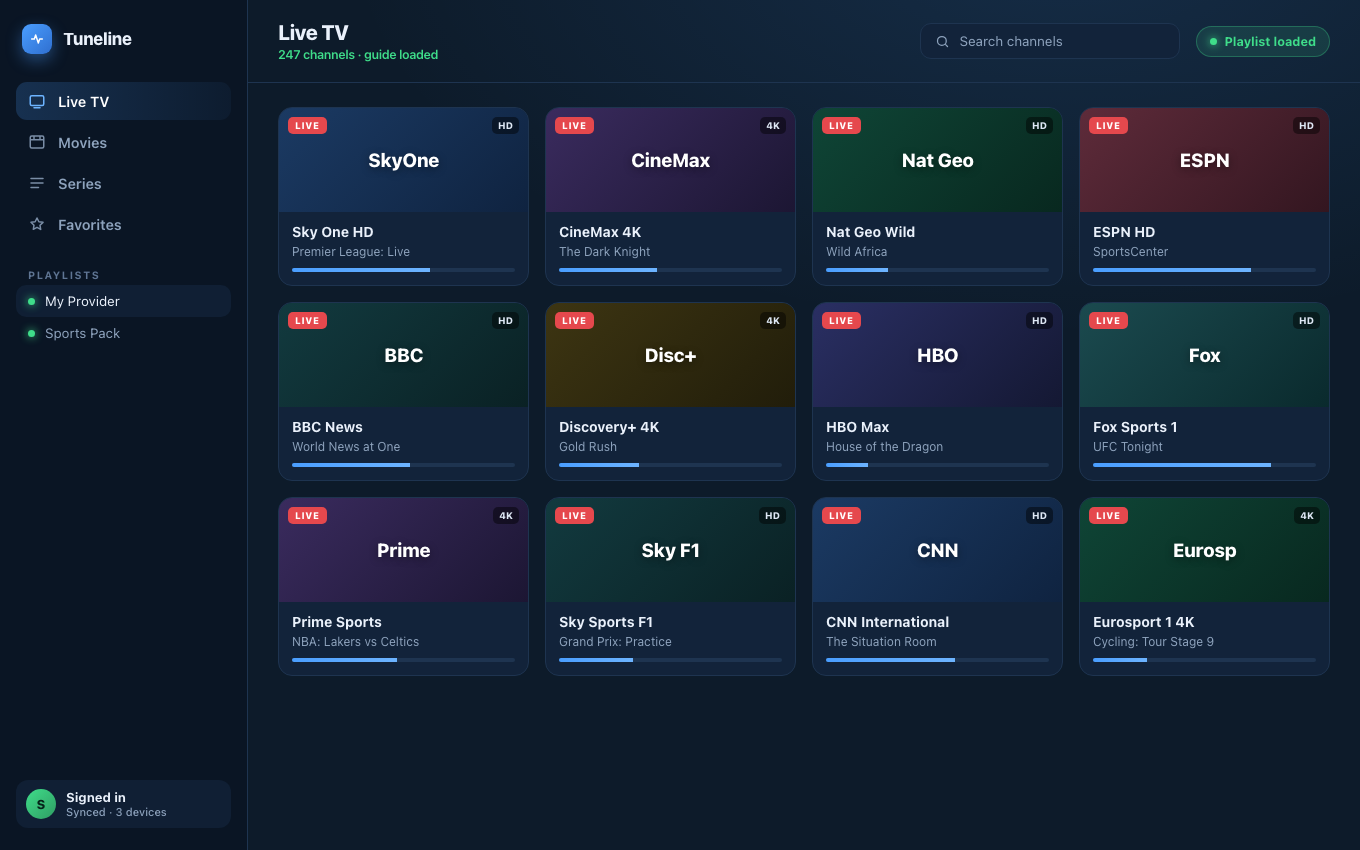
Signed in and synced — the same playlists and favorites on every device.
Here's a scenario that anyone with more than one screen knows by heart. You spend an evening on your laptop adding a playlist, cleaning up the categories, marking the channels you actually watch as favorites, and pointing the app at the right EPG so the program guide fills in. It looks great. Then you pick up your phone the next morning, open the same app, and it's a blank slate. Nothing carried over. You do the whole setup again. Then you get a new tablet, or a Google TV box for the living room, and you do it a third time.
That's the gap this post is about: IPTV player cloud sync, the ability to set things up once and have them follow you to every device. It sounds like table stakes in 2026. It mostly isn't. Below is what cloud sync should actually mean for a media player, why almost no player delivers it, an honest comparison of the main options, and the one player built around sync from day one.
What "Cloud Sync" Should Actually Mean
The phrase gets stretched to cover a lot of things that aren't really sync, so let's be precise. For a media player, proper cloud sync means these five things flow automatically between every device you sign in on:
- Playlists. The actual M3U URLs or Xtream Codes credentials you added. This is the big one, because re-entering credentials on every device is the most tedious part of setup.
- Favorites. The shortlist of channels you actually watch, in the order you arranged them.
- Watch history. What you watched and when, so your recents are the same everywhere.
- Playback position. Where you stopped a movie or an episode, so you can resume on a different screen without scrubbing to find your spot.
- EPG configuration. The XMLTV guide source you pointed the app at, so the program guide is populated on device two without you hunting down the URL again.
If a player syncs all five automatically and continuously, that's real cloud sync. If it syncs one or two, or only when you manually press a button, that's a backup feature wearing a sync label. The distinction matters because the whole point is that you never think about it. You sign in, and everything is just there.
Why Most IPTV Players Don't Sync
This gap isn't laziness, it's history. Most popular IPTV players were built as single-device apps, around the assumption that you own one Fire Stick or one Android box and you watch from the couch. Cross-device sync was never on the roadmap because, at the time, most people only had one device.
Real sync also requires something these apps deliberately avoided: a backend. To move data between devices you need a server holding the canonical state, which means user accounts, authentication, a database, and ongoing cost. A lot of players chose to stay purely local instead, and then bolted on a "backup to Google Drive or Dropbox" feature as a compromise. That works as a manual backup, but it isn't live sync. File-based backups develop conflicts, require you to remember to run them, and never push a change to your other screen in real time.
The result is a category where "sync" claims are common and working, continuous, cross-platform sync is rare.
The Comparison
Here's how the main players stack up on cloud sync specifically. This is about sync, not overall quality, and every one of these is a capable player in its own right.
| Player | Sync type | Platforms sync covers |
|---|---|---|
| Tuneline | Full automatic cloud sync (playlists, favorites, history, playback position, EPG config) | iOS, iPadOS, macOS, Windows, Linux, Android, Android TV, Google TV, Apple TV |
| TiviMate | None built in; a separate paid third-party tool adds Dropbox/Box backup | Android / Android TV only |
| IPTV Smarters Pro | No automatic sync; manual backup and restore to Drive/Dropbox | Per device, manual transfer |
| GSE Smart IPTV | iCloud-based sync, Apple ecosystem only | iPhone, iPad, Mac, Apple TV (no Android/Windows) |
| VLC | None | No sync of any kind |
A few notes to keep this fair:
- TiviMate is an excellent player on Android TV, arguably the best in that lane. But everything lives locally on each device, and the only way to move it is a third-party tool built specifically to fill that gap. It also stays entirely within the Android world.
- IPTV Smarters Pro gives you manual backup and restore to cloud storage, which is genuinely useful for moving to a new device once in a while. It just isn't automatic, and a manual restore is not the same as your favorites appearing on their own.
- GSE Smart IPTV does sync, and does it well, but only across Apple devices via iCloud. If your household is all iPhones, iPads, and Macs, that may be all you need. The moment an Android phone or a Windows laptop joins, the sync stops at the edge of the Apple ecosystem.
- VLC is the universal "play this one stream" tool and superb at playback, but it has no favorites, no history, and no sync. It was never trying to be a full IPTV experience.
Where Tuneline Comes In
Tuneline was built the other way around. Cross-device cloud sync is not a feature we added later, it's the headline reason the app exists. Sign in once, and your playlists, favorites, watch history, playback position, and EPG configuration follow you to every device you use.
That list of devices is the widest in the category: iPhone, iPad, macOS, Windows, Linux, Android, Android TV, Google TV, and Apple TV. Set up your playlist on your Mac tonight, sign in on your phone tomorrow, and it's all there in a few seconds with no import step. Start a movie in the living room on Google TV, and pick it up on your phone from the same spot. There's a fuller walkthrough of the sync experience in why your IPTV favorites disappear across devices.
A few honest specifics so you know exactly what you're getting:
- It's free to use. The base player, playback, playlists, EPG, and favorites cost nothing.
- Sync, backup, and multi-device are the optional Pro tier. Pro is a one-time lifetime purchase of $34.99, not a subscription. You pay once for the cross-device magic and never again.
- Bring your own playlist. Tuneline supplies no channels and hosts no content. You point it at the M3U or Xtream source you already have, exactly like VLC. If you want a refresher on moving your setup around safely, see how to back up and restore your playlists and favorites.
- No native Roku or Samsung Tizen app. For those TVs, you cast from your phone or another device rather than running Tuneline directly on the set.
How to Tell Real Sync From Marketing
If you're evaluating any player on its sync claims, the test takes two minutes. Sign in on two devices, make a change on one (favorite a channel, or add a playlist), and see whether it appears on the other within seconds without you pressing anything. If it doesn't, what you have is a backup feature, and you'll be managing files forever.
Watch for these red flags:
- Sync that only works after you manually trigger a backup or restore.
- Sync that covers favorites but not watch history or playback position, so you lose your spot every time you switch screens.
- Sync that stops at one operating system, which is fine until you add a device from a different one.
- An account login that makes you sign in but doesn't actually move any of your data between devices.
The Bottom Line
If you only ever watch on a single device, cloud sync doesn't matter and any capable player will do. The moment you have a second screen, and especially in a multi-device household, sync becomes the single biggest deciding factor. It's the difference between curating your setup once and curating it on every device, every reinstall, forever.
TiviMate, IPTV Smarters Pro, and GSE are all strong players inside their lanes, and if your lane is narrow (all Android, or all Apple) one of them may cover you. But if you watch across platforms and you want playlists, favorites, history, resume position, and your guide to simply follow you everywhere, that's exactly the problem Tuneline was built to solve. If you're picking a player specifically for iPhone or iPad, we go deeper in the best IPTV player for iPhone and iPad.
Tuneline is free to try on every major platform, sync is a one-time Pro unlock, and you bring whatever playlist you already have. If the disappearing-favorites treadmill sounds familiar, it's worth a look: download Tuneline and set it up once.
Share this article
Try Tuneline free
A fast, no-account media player for every platform. Load your own playlist and see how it compares in a couple of minutes.
Get TunelineRelated articles
- Alternatives to VLC in 2026: What to Use Instead (and When Not To)
- VLC Alternative for Android and Android TV (2026)
- VLC Alternative for Mac and Apple TV (2026)
- Goalna Alternatives: The Best Cross-Platform M3U Players in 2026
- The Hidden Costs of 'Free' IPTV Players: What's Behind the Paywall (2026)
Read this article in another language
- EnglishBest IPTV Player with Cloud Sync Across Devices (2026)
- FrançaisMeilleur lecteur IPTV avec synchronisation cloud sur tous les appareils (2026)
- AfrikaansBeste IPTV-speler met wolksinkronisering tussen toestelle (2026)
- العربيةأفضل مشغل IPTV مع مزامنة سحابية عبر الأجهزة (2026)
- বাংলাডিভাইসজুড়ে ক্লাউড সিঙ্কসহ সেরা আইপিটিভি প্লেয়ার (২০২৬)
- ČeštinaNejlepší IPTV přehrávač se synchronizací v cloudu mezi zařízeními (2026)
- DanskBedste IPTV-afspiller med cloudsynkronisering på tværs af enheder (2026)
- DeutschBester IPTV-Player mit Cloud-Synchronisierung über Geräte hinweg (2026)
- ΕλληνικάΚαλύτερο IPTV player με συγχρονισμό στο cloud μεταξύ συσκευών (2026)
- EspañolMejor reproductor de IPTV con sincronización en la nube entre dispositivos (2026)
- Español (Latinoamérica)El mejor reproductor IPTV con sincronización en la nube entre dispositivos (2026)
- فارسیبهترین پخش کننده IPTV با همگامسازی ابری بین دستگاهها (۲۰۲۶)
- SuomiParas IPTV-soitin laitteiden välisellä pilvisynkronoinnilla (2026)
- हिन्दीडिवाइस के बीच क्लाउड सिंक के साथ सर्वश्रेष्ठ IPTV प्लेयर (2026)
- MagyarLegjobb IPTV-lejátszó az eszközök közötti felhőszinkronizálással (2026)
- ItalianoMiglior lettore IPTV con sincronizzazione cloud tra dispositivi (2026)
- 한국어2026년 최고의 IPTV 플레이어: 기기 간 클라우드 동기화
- Bahasa MelayuPemain IPTV Terbaik dengan Penyegerakan Awan Merentas Peranti (2026)
- NederlandsBeste IPTV-speler met cloudsync op meerdere apparaten (2026)
- NorskBeste IPTV-spiller med skysynkronisering på tvers av enheter (2026)
- PolskiNajlepszy odtwarzacz IPTV z synchronizacją w chmurze na wszystkich urządzeniach (2026)
- PortuguêsMelhor app IPTV com Sincronização na Nuvem Entre Dispositivos (2026)
- RomânăCel mai bun player IPTV cu sincronizare în cloud pe toate dispozitivele (2026)
- РусскийЛучший IPTV плеер с облачной синхронизацией между устройствами (2026)
- СрпскиNajbolji IPTV plejer sa sinhronizacijom u oblaku između uređaja (2026)
- SvenskaBästa IPTV-spelaren med molnsynkronisering mellan enheter (2026)
- TagalogPinakamahusay na IPTV Player na may Cloud Sync sa Iba't Ibang Device (2026)
- TürkçeEn İyi Bulut Senkronizasyonlu IPTV Oynatıcı Cihazlar Arasında (2026)
- Tiếng ViệtTrình Phát IPTV Tốt Nhất Với Đồng Bộ Hóa Đám Mây Trên Các Thiết Bị (2026)
Tuneline is a media player application. It does not provide, host, or distribute any content. You bring your own playlist, exactly as you would with VLC.