
By Shamir
Stalker Portal Codes Explained: What They Are & How to Use One Safely
A portal code isn't a password you type once — it's a device login. Once it's paired correctly, your lineup loads and stays loaded, exactly like this.
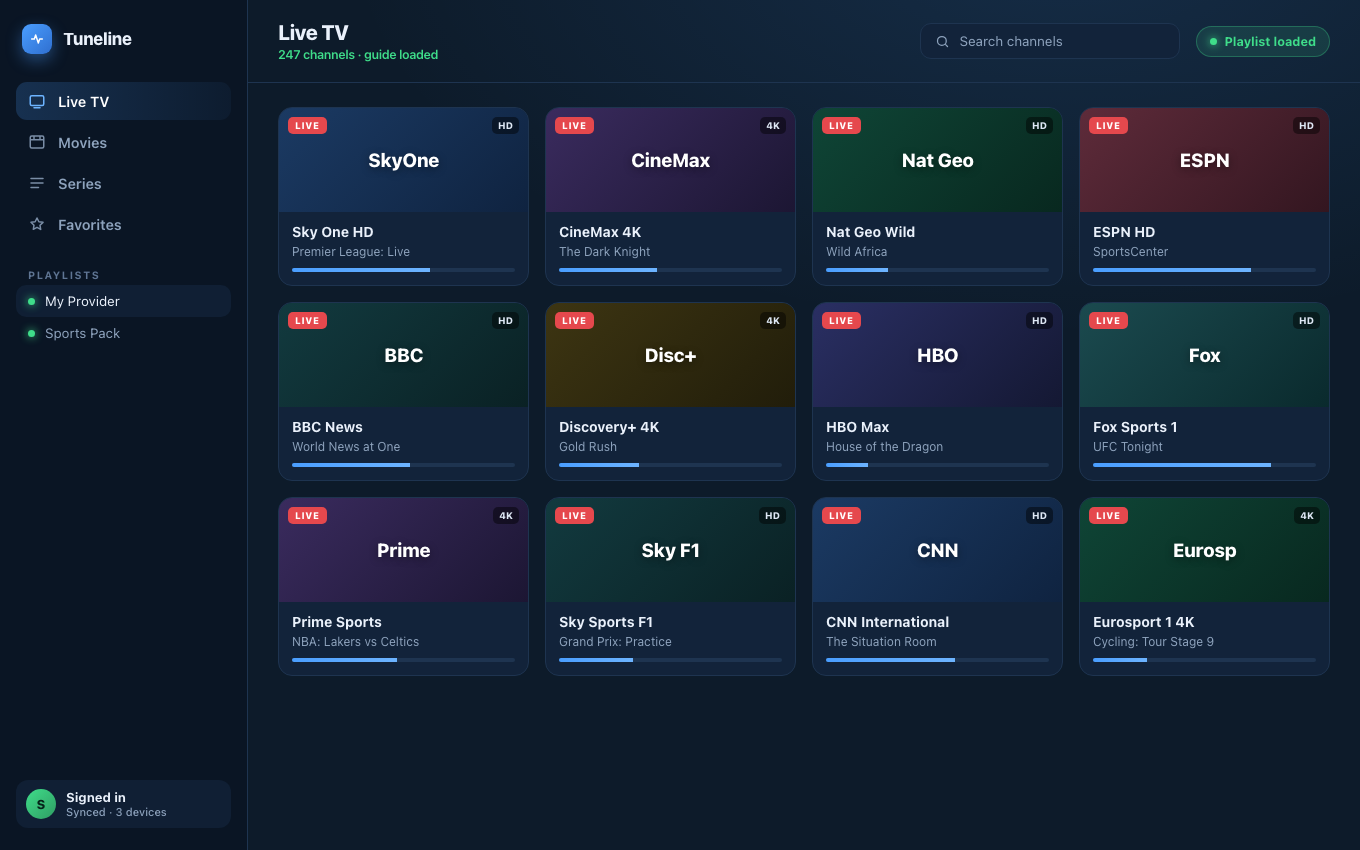
What a correctly paired portal code gets you: a fully loaded player.
Your provider sends you a link and says "here's your portal code," maybe with a MAC address attached, and expects you to know what to do next. If you've never seen one before, it's genuinely confusing — it doesn't look like a password, it isn't a file, and pasting it into the wrong box just fails.
This guide explains what a Stalker portal code actually is, how the login works under the hood, and how to use one safely without getting locked out. We'll use Tuneline for the setup example since it speaks the protocol natively, but the concepts apply to any player that supports Stalker portals.
What a Portal Code Actually Is
"Portal code" is a nickname, and that's half the reason people get stuck. There's no single field called "portal code." What you're really being given is two things that work together:
- A portal URL — a web address, usually ending in
/c/,/portal.php, or/stalker_portal/. This is the server your player talks to. - A MAC address — a twelve-character identifier like
00:1A:79:XX:XX:XX. This is the "device fingerprint" the server uses to recognize you.
The "code" people mention is almost always the MAC address — or, occasionally, a short pairing code the provider maps to a MAC on their end. Neither one is a password in the usual sense. Together, the URL plus the MAC are your login.
How the Stalker Portal Login Works
This is the part worth understanding, because it explains every quirk you'll run into.
A Stalker (also called Ministra) portal was originally built for set-top boxes — the small hardware units that sit under a TV. Instead of storing a list of streams in a file, the box performs a live handshake with the portal each time it starts:
- The player connects to the portal URL and says "I'm the device with this MAC address."
- The server checks that MAC against its records, confirms it's authorized, and issues a temporary token.
- The player uses that token to pull your channel list, program guide, and on-demand library — fresh, on demand.
Nothing is downloaded as a permanent file. That's the key difference from an M3U playlist, which is just a static list you could open in a text editor. A portal is a live login tied to one device identity.
This design is exactly why a basic player fails: many apps can't perform the handshake at all. They only know how to read a static file, so when you hand them a portal, there's nothing for them to read.
Why the MAC Address Matters So Much
The MAC address is the whole security model, so treat it with care:
- It's tied to your subscription. The provider authorizes that specific MAC on their server. If it changes, the server no longer recognizes you.
- Many portals allow only one active device per MAC. Log in on a second device with the same MAC while the first is still connected and you may get bumped, or temporarily blocked.
- It's not something you make up. Some providers assign you a MAC; some let you set one. If yours assigned it, use it exactly as given — a single wrong character means "device not found."
Think of the MAC as your seat number. The portal URL is the venue; the MAC is the specific seat you were sold. Show up with the wrong number and you don't get in.
How to Use a Portal Code Safely
Here's the setup flow, plus the safety habits that keep you from locking yourself out.
Step 1 — Identify what you were given
You should have a portal URL (ends in /c/ or /stalker_portal/) and a MAC address. If you only have a single long .m3u link, that's not a portal — see our login-type decision tree. If you have a URL plus a username and password with no MAC, that's Xtream, not Stalker.
Step 2 — Add it as a Stalker Portal
In your player, choose the Stalker Portal source type — not M3U, not Xtream. In Tuneline, that means:
- Paste the portal URL into the portal field.
- Enter the MAC address exactly as provided, including the colons.
- Add a username/password only if your provider issued them (many don't — the MAC is the login).
Save, and the player performs the handshake. Within a few seconds your lineup appears.
Step 3 — Use it safely
- Don't share the MAC. Anyone with your portal URL and MAC can impersonate your device. That's your subscription, in one string.
- Don't run it on multiple devices at once unless your provider explicitly says multi-connection is allowed. Simultaneous logins on one MAC are the most common cause of "it suddenly stopped working."
- Keep the exact credentials somewhere private. A portal login is fiddly to re-enter; store the URL and MAC together so you're not retyping a twelve-character hex string from memory.
- Verify the provider before pasting anything. A portal handshake sends your MAC to whatever server you point it at. Only use portals from a source you actually pay and trust.
Common Problems and What They Mean
| Symptom | Almost always means |
|---|---|
| "Device not found" / handshake fails | MAC typed wrong, or not authorized on the server |
| Loads, then drops after a while | Same MAC logged in elsewhere, or single-connection limit |
| Player says "invalid format" | You pasted the portal into the M3U box — switch to Stalker Portal |
| Blank channel list after login | Subscription expired, or provider hasn't populated your lineup |
Notice that none of these are usually "the app is broken." A portal is a live negotiation between your device identity and a server, so most failures trace back to the MAC, the connection limit, or the wrong source type.
Why the Player You Choose Matters
Because a Stalker portal is a protocol, not a file, the player has to actively support it. A lot of otherwise-good apps quietly don't. If you've been told your portal "doesn't work anywhere," the real issue is often that you haven't used a player that speaks Stalker natively.
Tuneline handles Stalker portals, M3U playlists, and Xtream Codes natively — the same app performs the portal handshake, reads a static M3U, or logs into an Xtream panel, on Windows, macOS, Linux, Android, Android TV, Fire TV, iPhone, iPad, and Apple TV. So whatever format a provider hands you next, you're not hunting for a different app.
Download Tuneline — paste your portal URL and MAC, and it does the handshake for you.
Related: Portal Code vs M3U vs Xtream: Which Login Do You Have? · The Best Stalker Portal Player in 2026 · How to Convert a Stalker Portal to M3U (or Play It Directly) · What Is a Stalker Portal?
Share this article
Get Tuneline free
A clean, no-account media player for macOS, Windows, Linux, Android, TV, and iOS. Bring your own playlist.
Download freeRelated articles
- Portal Code vs M3U vs Xtream: Which IPTV Login Do You Actually Have?
- What Is Stalker Portal? A Plain-English Guide for IPTV Users
- M3U vs Xtream Codes vs Stalker Portal: Which IPTV Format Should You Use in 2026?
- Ethernet vs Wi-Fi for 4K Streams: What Actually Matters (2026)
- Linux Video Playback in 2026: Wayland, VA-API and HDR
Read this article in another language
- EnglishStalker Portal Codes Explained: What They Are & How to Use One Safely
- FrançaisStalker Portal Codes expliqués : ce qu'ils sont et comment en utiliser un en toute sécurité
- العربيةشرح رموز Stalker Portal: ما هي وكيفية استخدامها بأمان
- বাংলাStalker Portal কোড ব্যাখ্যা: এগুলো কী এবং কীভাবে নিরাপদে ব্যবহার করবেন
- DeutschStalker Portal Codes erklärt: Was sie sind und wie man sie sicher nutzt
- ΕλληνικάStalker Portal Κωδικοί: Τι είναι και πώς να χρησιμοποιήσετε έναν με ασφάλεια
- EspañolStalker Portal Explicación de los códigos: qué son y cómo usarlos de forma segura
- SuomiStalker Portal-koodit selitettynä: mitä ne ovat ja miten niitä käytetään turvallisesti
- हिन्दीStalker Portal कोड की व्याख्या: ये क्या होते हैं और इन्हें सुरक्षित रूप से कैसे इस्तेमाल करें
- ItalianoStalker Portal Codici Spiegati: Cosa Sono e Come Usarli in Sicurezza
- 한국어Stalker Portal 코드 설명: 정의와 안전하게 사용하는 방법
- Bahasa MelayuStalker Portal Codes Dijelaskan: Apakah Ia & Cara Menggunakannya dengan Selamat
- NederlandsStalker Portal-codes uitgelegd: wat ze zijn en hoe je ze veilig gebruikt
- NorskStalker Portal-koder forklart: Hva de er, og hvordan du bruker én på en trygg måte
- PolskiStalker Portal Kody Wyjaśnione: Czym Są i Jak Bezpiecznie Ich Używać
- PortuguêsCódigos Stalker Portal Explicados: O Que São e Como Usar Um Com Segurança
- РусскийStalker Portal Коды: Что Это Такое и Как Их Использовать Безопасно
- СрпскиStalker Portal kodovi objašnjeni: šta su i kako ih bezbedno koristiti
- SvenskaStalker Portal Koder förklarade: vad de är och hur du använder en på ett säkert sätt
- TürkçeStalker Portal Kodları Açıklandı: Nedir ve Güvenli Şekilde Nasıl Kullanılır
- Tiếng ViệtCác Mã Stalker Portal Giải Thích: Chúng Là Gì & Cách Sử Dụng An Toàn
Tuneline is a media player application. It does not provide, host, or distribute any content. You bring your own playlist, exactly as you would with VLC.