
By Shamir
IPTV Channels Not Loading?
Nine times out of ten a blank list is the wrong playlist type or an expired link, not a broken app. Here's what a healthy, fully loaded playlist looks like once it's fixed.
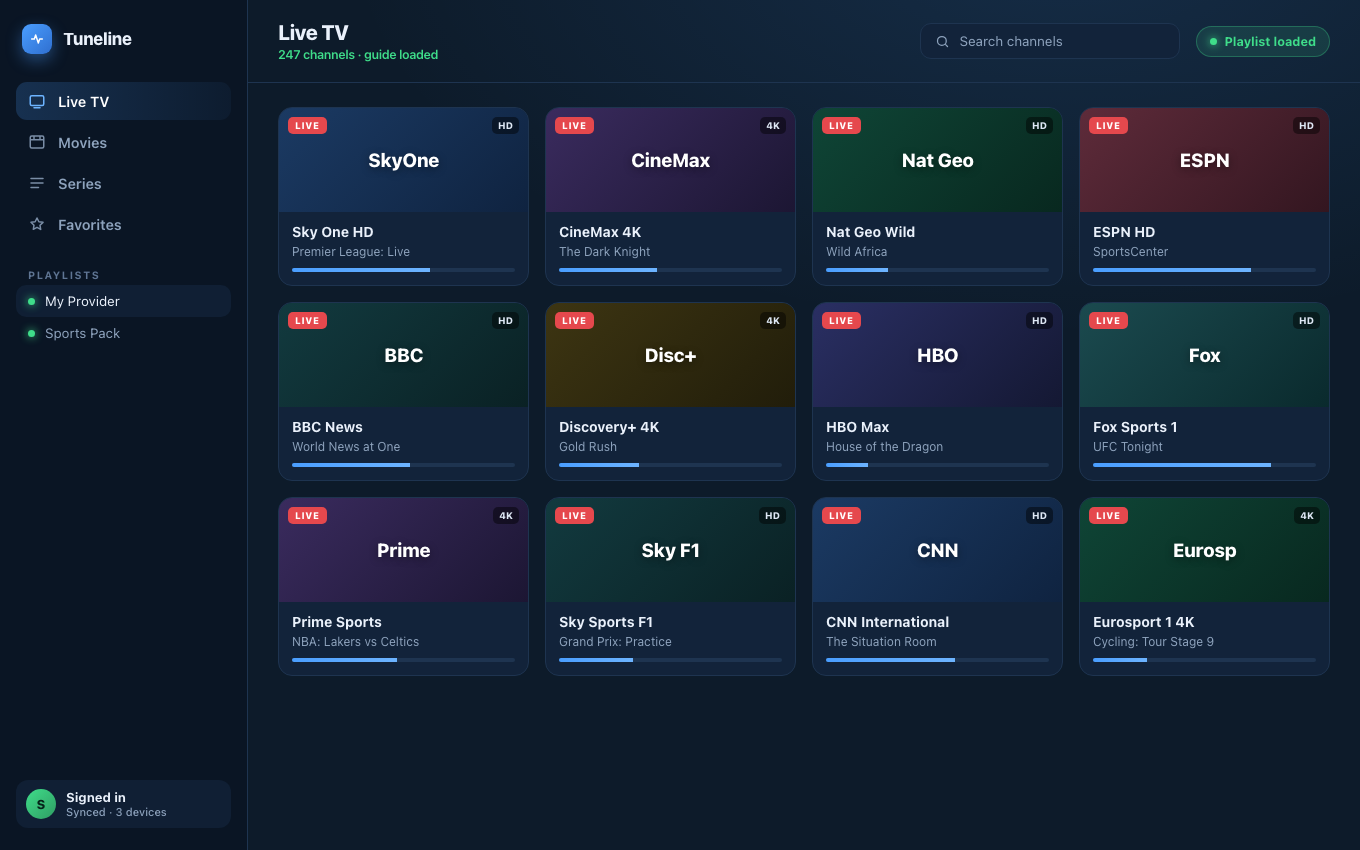
The goal: every channel loaded and playing. Two settings usually get you here.
You add a playlist, the app spins, and then — nothing. An empty channel list, an error, or a list that loads but every channel fails to play. This is one of the most common IPTV problems, and the good news is the cause is almost always one of six specific things, each with a clear fix.
This guide walks them in order of how often they're the culprit. We'll reference Tuneline where its behavior helps you diagnose — but most of these fixes apply to any player. If you want to rule out your current app as the problem, download Tuneline and load the same playlist; if it works there, the issue was the player.
A playlist that won't load shouldn't take an hour to diagnose
Tuneline is a free media player that shows you the exact failure — sign-in rejected, server unreachable, connection timed out — instead of an endless spinner, so you know what's actually wrong in seconds. No account required, bring your own playlist.
Download freeIf your player showed you a specific error string — "cannot communicate with your playlist," "error loading channels," "all playlists failed to load" — you can shortcut this guide: we decode the common error messages here.
First: Is It the Playlist, the Player, or the Provider?
Run this 30-second triage before anything else. It tells you which of the three layers is broken:
- Open the playlist URL in a web browser. Paste the raw M3U URL into the address bar.
- If it downloads a text file starting with
#EXTM3U— the playlist is fine, the problem is your player or its config. - If you get a
403,404, blank page, or "account expired" — the problem is your provider or the URL.
- If it downloads a text file starting with
- Try the playlist in a second player (VLC will do). If it loads there but not in your main app, the app is the problem.
- Try a different network — phone hotspot instead of home Wi-Fi. If it loads on the hotspot, your ISP or router is blocking it (see Cause 4).
Whatever those three tests point at, jump to the matching cause below.
Cause 1: The URL Is Wrong, Expired, or Mistyped (Most Common)
The number-one reason a playlist won't load is the URL itself. With M3U URLs that are 80+ characters of random-looking query string, a single wrong character means a dead playlist.
Check for:
- A trailing space. Copy-paste from an email or chat app often grabs a space at the end. The player tries to fetch a URL that doesn't exist.
httpvshttps. Some providers only answer on one. Ifhttp://fails, tryhttps://and vice versa.- An expired subscription. If the URL used to work and suddenly returns "expired" or
403, your provider account lapsed. No player can fix that — renew with the provider. - The wrong URL type pasted into the wrong field. An Xtream Codes login (server + username + password) is not the same as an M3U URL. Pasting one where the other belongs fails silently. (M3U vs Xtream Codes vs Stalker Portal explained.)
Fix: delete the playlist entirely and re-add it, pasting the URL fresh from the provider. Don't edit the old entry — retype or re-paste cleanly. If you're on a TV, do this on a phone and let Tuneline's cross-device sync carry it over rather than fighting the on-screen keyboard. (Step-by-step playlist setup.)
Cause 2: Xtream Codes Login Failing
If you're using Xtream Codes (server URL + username + password) rather than a plain M3U, "channels not loading" is often actually a failed login — the player can't authenticate, so it gets no channel list.
Common Xtream-specific causes: wrong port number, the server URL including or missing a trailing path, the provider hitting a connection limit because the same login is active on another device, or the provider's server simply being down.
Fix: this has its own dedicated guide — work through Xtream Codes login failed: fixes. The short version: verify the port, kill other active sessions on the same credentials, and confirm the server is up by opening http://server:port/player_api.php?username=X&password=Y in a browser.
Cause 3: The Playlist Is Huge and the App Is Choking
Some IPTV playlists are enormous — 20,000+ entries with VOD and Series included. A weak player loads the whole thing into memory, the parser stalls, and you get a spinner that never resolves or an app that crashes on import.
Where this hits: older phones, streaming sticks with little RAM, and apps that don't parse incrementally.
Fix:
- Give it time on first load. A 20,000-entry playlist with EPG can legitimately take 30–60 seconds the first time. Don't assume it's frozen at 15 seconds.
- Use a player that at least skips malformed entries instead of failing the whole import — Tuneline's M3U/XMLTV parsers do this, so one bad line in a huge catalog doesn't blank the entire list.
- If your provider offers a "live only" M3U variant separate from the full VOD catalog, use it — you cut the entry count dramatically.
Cause 4: Your Network or ISP Is Blocking the Playlist
Some ISPs and routers block or throttle IPTV-style traffic, and some block specific hosting providers outright. The classic symptom: the playlist loads fine on mobile data but not on home Wi-Fi.
Fix:
- Test on a phone hotspot. If it works there but not on home Wi-Fi, your router or ISP is the cause.
- Check router-level filtering. Some routers (and "parental control" / security suites) block unknown streaming hosts. Look for content filtering or a firewall rule.
- Try a different DNS. Switch the device or router to
1.1.1.1(Cloudflare) or8.8.8.8(Google). Some ISPs block IPTV hosts at the DNS level, and this sidesteps it. - VPN as a last resort. If the ISP is actively blocking the host, a VPN routes around it. Note that some Stalker portals MAC-bind to an IP, so a VPN can break those — see Cause 6.
Cause 5: The Channels Load but None Will Play
Sometimes the playlist does load — you see the full channel list — but every channel fails or shows a black screen. That's not a playlist-loading problem; it's a playback problem, and it points somewhere else:
- Black screen with audio → a codec issue, almost always HEVC. See IPTV black screen but audio works.
- Constant buffering / stuttering → bandwidth or network. See how to fix IPTV buffering.
- "Connection limit reached" on every channel → too many simultaneous streams on your provider account; close other devices.
- Everything fails instantly → the provider's streaming server is down even though the playlist URL responded. Wait, or contact the provider.
Cause 6: Stalker Portal MAC Address Issues
If your provider uses a Stalker Portal (a portal URL plus a MAC address) rather than M3U or Xtream, an empty channel list usually means the portal rejected your MAC.
Common causes: the MAC address isn't registered with the provider, you mistyped it (the 00:1A:79:... format is easy to fumble), the portal MAC-bound to a different IP and your address changed, or the portal is simply offline.
Fix: double-check the MAC against what the provider gave you, character for character. If your home IP changed (or you switched VPN node), ask the provider to re-bind. What is a Stalker Portal covers the MAC model in full.
Quick Diagnostic Checklist
1. Paste the playlist URL in a browser
   → downloads #EXTM3U text?   playlist OK, suspect the player
   → 403 / 404 / "expired"?    provider/URL problem
2. Load the playlist in VLC
   → works in VLC, not your app?  app problem — try another player
3. Switch to a phone hotspot
   → works on hotspot?  ISP/router is blocking it
4. List loads but nothing plays?
   → that's a playback issue, not a loading issue (see Cause 5)
Why This Is Rarer in Tuneline
Since you're here — a few reasons the "playlist won't load" failure mode shows up less often in Tuneline:
- Resilient parsing — a malformed line in a huge Xtream/VOD catalog gets skipped instead of failing the whole import, so one bad entry doesn't blank the list.
- Clear, specific errors — instead of an endless spinner, Tuneline shows you the actual failure: sign-in rejected, server unreachable, timed out, rate-limited. That alone collapses most of this guide into a 5-second diagnosis.
- Cross-device sync — set up a playlist once on a phone or laptop and it appears on every signed-in device, so you never re-type a fragile URL on a TV remote. (How sync works.)
- Consistent fetch stack — the same Dio-based networking on every platform, so a playlist that loads on one device loads on all of them.
FAQ
Why does my IPTV playlist load on one device but not another?
Most often the network: one device is on Wi-Fi where the ISP blocks the host, the other on mobile data. It can also be the app — different players on different devices parse and fetch differently. Test the same URL in a browser on the failing device first.
My playlist worked yesterday and won't load today. What changed?
Three usual suspects: your provider subscription expired, the provider's server went down, or your ISP started blocking the host. Paste the URL in a browser — if you get "expired" or 403, it's the provider, not you.
How long should a large IPTV playlist take to load?
A normal M3U loads in a few seconds. A massive Xtream catalog with VOD, Series, and EPG can legitimately take 30–60 seconds on first load while it indexes, then it's fast afterward. If it spins past a couple of minutes, something is genuinely wrong.
The channel list loads but every channel fails to play. Is that the same problem?
No. If the list loaded, the playlist itself is fine. Failing playback is a separate issue — codec, bandwidth, provider connection limits, or the streaming server being down. See Cause 5 above.
Can a slow internet connection stop a playlist from loading?
A truly dead connection, yes. But slow internet more typically lets the playlist load and then causes buffering during playback — that's a different fix. (IPTV buffering fixes.)
Does the playlist format affect whether it loads?
It affects how it fails. M3U fails on a bad URL; Xtream Codes fails on bad auth; Stalker Portal fails on a bad MAC. Identify your format first, then match it to the cause above. (Format comparison.)
Fastest way to isolate the problem: install Tuneline and load the same playlist. If it loads here with a clear error message, you'll know in seconds whether the fault is your old player, the URL, or the provider.
— Shamir
Share this article
Rather not troubleshoot? Tuneline handles this for you.
A free media player with hardware-accelerated playback and automatic reconnect built in — the two things most players leave off. Bring your existing playlist.
Download freeRelated articles
- Xtream Codes Login Failed: Why It Happens and How to Fix It
- IPTV Black Screen but Audio Works: Why It Happens and How to Fix It
- Why Your Streams Only Break During the Match (2026)
- EPG Not Working on TiVimate or Firestick? Here's the Fix
- IPTV Error Messages Decoded: What 10 Common Errors Actually Mean
Read this article in another language
- EnglishIPTV Channels Not Loading? Playlist Won't Load — Fixes That Work
- FrançaisIPTV ne fonctionne pas : que faire quand la playlist refuse de charger
- العربيةلماذا iptv لا يعمل؟ ستة أسباب تمنع تحميل القائمة وحلّ كل واحد منها
- বাংলাআইপিটিভি চ্যানেল লোড হচ্ছে না? প্লেলিস্ট লোড হচ্ছে না — কার্যকর সমাধান
- ČeštinaIPTV kanály se nenačítají? Playlist se nenačte — funkční řešení
- DanskHvorfor virker IPTV ikke? Sådan finder du fejlen i playlisten
- DeutschIPTV Sender laden nicht: die 6 häufigsten Ursachen und was wirklich hilft
- ΕλληνικάΔεν φορτώνουν τα κανάλια IPTV; Η playlist δεν φορτώνει — λύσεις που λειτουργούν
- EspañolIPTV no funciona hoy: por qué no cargan los canales y cómo arreglarlo
- Español (Latinoamérica)IPTV no funciona hoy: por qué no cargan los canales y cómo solucionarlo
- SuomiIPTV-sovellus ei toimi? Kuusi syytä siihen, ettei soittolista lataudu
- हिन्दीIPTV चैनल लोड नहीं हो रहे? प्लेलिस्ट लोड नहीं होगी — काम करने वाले समाधान
- MagyarNem működik az IPTV? Üres a csatornalista? Ezek a javítások segítenek
- ItalianoPerché l'IPTV non funziona? Le 6 cause della playlist che non si carica e come risolverle
- 한국어IPTV 채널이 로드되지 않나요? 플레이리스트가 로드되지 않음 — 작동하는 해결 방법
- Bahasa MelayuXtream Codes Not Working? Punca Senarai Saluran Kosong dan Cara Membetulkannya
- NederlandsWaarom werkt IPTV niet? 6 oorzaken waarom je afspeellijst niet laadt (met oplossingen)
- NorskLaster ikke IPTV-kanalene? Spillelisten vil ikke lastes inn – løsninger som virker
- PolskiKanały IPTV się nie ładują? Playlista się nie wczytuje — rozwiązania, które działają
- PortuguêsCanais de IPTV não carregam? Seis causas e como resolver cada uma
- RomânăIPTV se blochează și lista de canale nu se încarcă? Soluții care funcționează
- РусскийПочему не загружаются каналы на телевизоре: 6 причин пустого списка IPTV
- СрпскиXtream Codes ne radi? Šest uzroka i kako da ih rešite
- SvenskaLaddas IPTV-kanalerna inte? Spellistan laddas inte — lösningar som fungerar
- TagalogHindi Naglo-load ang mga IPTV Channel? Hindi Naglo-load ang Playlist — Mga Solusyong Gumagana
- TürkçeIPTV Kanalları Yüklenmiyor? Çalma Listesi Açılmıyor — Çalışan Çözümler
- Tiếng ViệtCác kênh IPTV không tải? Danh sách phát không tải — Các cách khắc phục có hiệu quả
Tuneline is a media player application. It does not provide, host, or distribute any content. You bring your own playlist, exactly as you would with VLC.