
By Shamir
IPTV Black Screen but Audio Works
Audio but no picture is a decoder mismatch, not a dead stream, and flipping one setting brings the video back. Here's a stream playing cleanly with hardware decoding on.
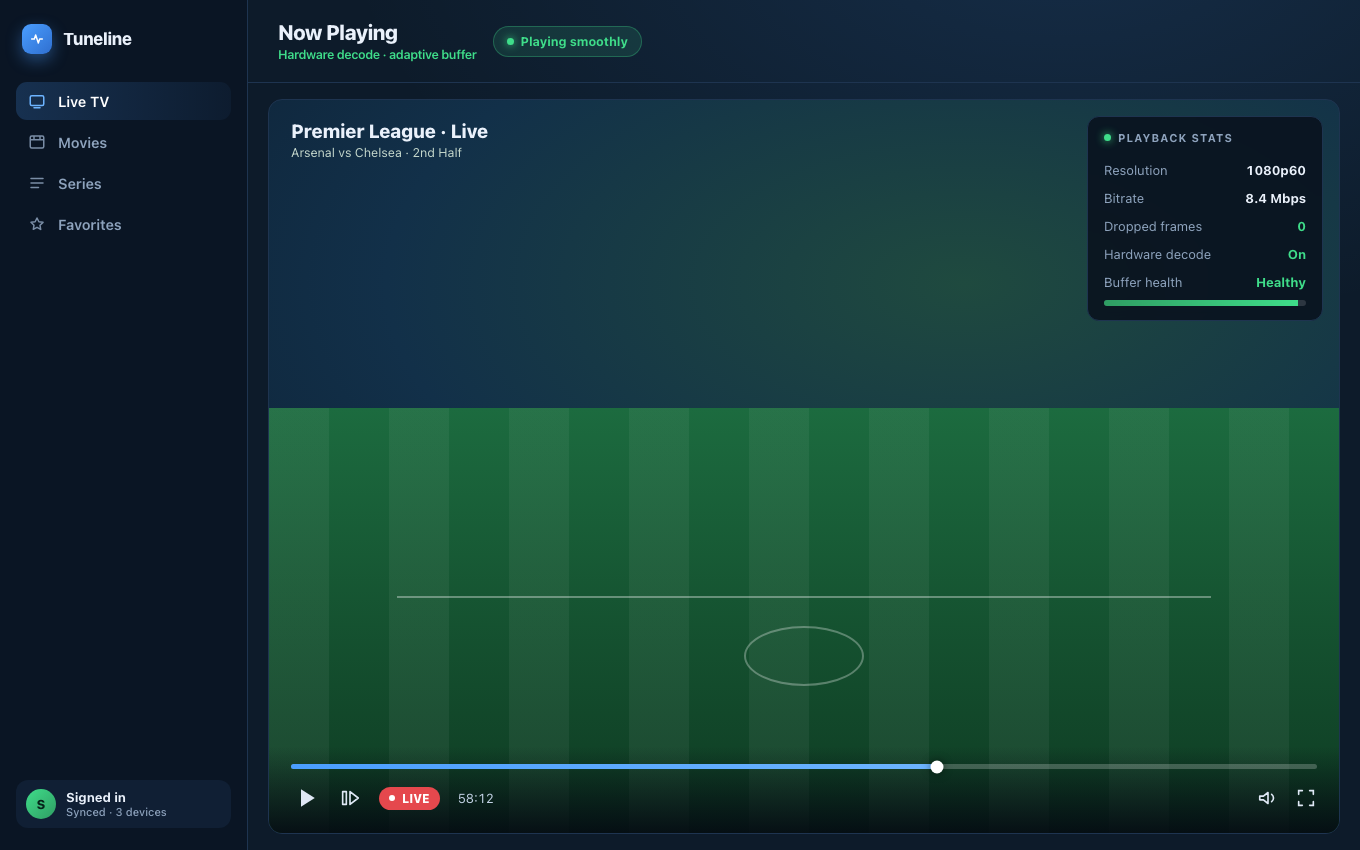
Picture restored: hardware decoding on, zero dropped frames.
You hit play, the audio comes through clean, and the video area stays solid black. This is one of the most reported IPTV problems, and the cause is almost always one of three things — none of them mysterious, all of them fixable.
This guide covers each cause in order of how often it occurs, with the fix. We'll reference Tuneline because it handles the underlying codec stack consistently across every platform — a lot of "black screen" reports vanish the moment the user installs a player with a current decoder pipeline. Download Tuneline if you want to test that hypothesis on your own stream.
Audio playing, screen black? It's almost always the codec
Tuneline bundles its own decoder pipeline instead of relying on your OS, so the HEVC and HDR streams that leave other free players black-screened just play. Free, no account.
Download freeCause 1: HEVC / H.265 Without Hardware Decode (Most Common)
Most modern IPTV streams are encoded in HEVC (H.265). HEVC needs a decoder — either software (CPU) or hardware (GPU). If your player doesn't have an HEVC decoder available, you get audio (which is usually AAC and decodes anywhere) and a black video area.
Where this hits hardest:
- Older Windows PCs without the optional Microsoft HEVC extension installed.
- Linux distros with a player that doesn't ship its own libavcodec.
- Android phones older than ~2018 (no hardware HEVC decoder).
- Streaming sticks that advertise HEVC but only handle Main profile, not Main 10 (10-bit color).
Fix:
The fastest answer is to use a player that bundles its own decoder pipeline rather than relying on the OS. On desktop and mobile, Tuneline ships with media-kit, which embeds libavcodec, so HEVC works out of the box without an OS-level codec extension. (On Android TV / Google TV specifically, Tuneline's primary engine is the native Android Media3 player instead, so HEVC support there depends on the TV box's own hardware decoder — media-kit only steps in as a fallback if that native path fails to produce a frame.) Install it, open the same stream, and if you see video, the issue was a missing OS codec.
If you're sticking with another player:
- Windows: install the "HEVC Video Extensions" from the Microsoft Store (yes, the paid one — there's a free OEM version on some PCs).
- macOS: native HEVC support since macOS High Sierra. If you're on a Mac and seeing this, jump to Cause 2.
- Linux: install
gstreamer1.0-libav(Debian/Ubuntu) or the equivalent codec metapackage on your distro. - Android: device-level limitation — there's no software fix for old hardware.
Cause 2: Hardware Decoder Got Stuck
Hardware video decoders are state machines, and they occasionally wedge. Symptoms: one stream plays fine, you switch channels, the next one is black-with-audio. The decoder didn't fully reset between streams.
Fix: force-close the player and reopen it. The decoder gets reinitialized on app restart.
If a specific player wedges every time you switch channels, that's a sign its channel-switch path isn't cleanly re-opening the decoder for the new stream — worth testing the same channel list in a different player (including Tuneline) to see if the failure follows you or stays behind.
Cause 3: 4K HDR Stream on a Non-HDR Display Pipeline
Some providers serve channels in HDR10 or HLG. If your display, TV, or playback chain doesn't support HDR — or if the player tries to render HDR but tone-mapping is misconfigured — you can get black video.
Fix:
- On a non-HDR monitor, look for a player with explicit HDR → SDR tone-mapping — not every player, Tuneline included, has this configured out of the box, so if a stream is genuinely HDR-tagged and your display isn't, this can be a real limitation rather than a quick setting change.
- On a TV that supports HDR, verify the HDMI cable is HDMI 2.0+ and the input is set to "HDR" or "Auto."
- On an Android TV box, check the system display settings — some boxes need HDR explicitly enabled per resolution.
Cause 4: Browser Player + DRM-Wrapped Stream
If you're trying to play an IPTV stream in a browser-based player, and the stream is wrapped in Widevine/PlayReady DRM, you'll often see audio but black video unless the DRM module is properly initialized. This is a browser DRM issue, not an IPTV one.
Fix: use a desktop or mobile native IPTV player instead of a web one. Tuneline ships native on every major platform precisely so you avoid the browser DRM swamp:
- macOS
- Windows (Microsoft Store)
- Linux: Snap Store or Flathub
- iPhone / iPad (App Store)
- Android phone
- Google TV / Android TV
Cause 5: The Stream Itself Is Audio-Only
Edge case but worth checking — some "channels" in a playlist are actually radio streams or news-feed audio with no video track. Black video isn't a bug; it's correct behavior.
Fix: check the stream URL in VLC's Media Information panel (Tools → Codec Information). If there's no video track listed, the stream is audio-only by design.
Quick Diagnostic Checklist
Before diving into any of the above, run this 60-second checklist:
- Does the channel play in VLC? If yes, your IPTV player has a codec issue. If no, the stream is broken at the source.
- Does a different channel from the same playlist play with video? If yes, it's a per-stream codec issue (HEVC vs H.264). If no, it's a player-wide decode issue.
- Did this start after a Windows / macOS / Android update? If yes, the OS codec inventory changed — reinstall the player or install missing codec extensions.
Why Tuneline Handles This Better
A short pitch since you're here:
- Bundled libavcodec via media-kit on desktop and mobile — decoders ship with the app on those platforms, not relied upon from the OS. (Android TV/Google TV uses the native Android decoder first instead, with media-kit as fallback.)
- Native builds on every platform — no browser DRM weirdness.
If a stream works in VLC but not in your current IPTV player, install Tuneline and try it there. Same media-kit pipeline, plus a real channel UI VLC doesn't have.
FAQ
Why does this only happen on certain channels?
Because not all channels in a playlist use the same codec. Sports channels are often HEVC 10-bit; older news channels are still H.264. If only some go black, it's almost certainly an HEVC decoder issue.
Will updating my graphics driver help?
On Windows yes — newer drivers expose more hardware decode capabilities to D3D11VA. On macOS no — drivers ship with the OS. On Linux yes if you're on NVIDIA proprietary drivers; the open-source nouveau driver doesn't expose hardware decode.
Can a slow internet connection cause black screen with audio?
No — slow internet causes buffering, not black video. If audio is playing cleanly, your bandwidth is fine. (How to fix actual buffering issues.)
Does this happen with M3U or Xtream Codes specifically?
It's codec-related, not playlist-format-related. Both M3U and Xtream can serve the same HEVC streams. The fix is at the player level, not the playlist level.
The fastest path to working video: install Tuneline, open the broken channel, and the bundled decoder pipeline almost always resolves it.
— Shamir
Share this article
Rather not troubleshoot? Tuneline handles this for you.
A free media player with hardware-accelerated playback and automatic reconnect built in — the two things most players leave off. Bring your existing playlist.
Download freeRelated articles
- IPTV Channels Not Loading? Playlist Won't Load — Fixes That Work
- Xtream Codes Login Failed: Why It Happens and How to Fix It
- Why Your Streams Only Break During the Match (2026)
- EPG Not Working on TiVimate or Firestick? Here's the Fix
- IPTV Error Messages Decoded: What 10 Common Errors Actually Mean
Read this article in another language
- EnglishIPTV Black Screen but Audio Works: Why It Happens and How to Fix It
- FrançaisÉcran noir IPTV mais l'audio fonctionne : pourquoi cela se produit et comment y remédier
- العربيةشاشة IPTV سوداء بينما الصوت يعمل: لماذا يحدث وكيف تصلحه
- বাংলাআইপিটিভিতে কালো স্ক্রিন, কিন্তু অডিও চলছে: কেন হয় এবং কীভাবে ঠিক করবেন
- ČeštinaIPTV má černou obrazovku, ale zvuk funguje: proč k tomu dochází a jak to opravit
- DanskIPTV sort skærm, men lyden virker: Hvorfor det sker, og hvordan du løser det
- DeutschIPTV Schwarzbild bei Ton: Ursachen und Lösungen
- ΕλληνικάΜαύρη οθόνη στο IPTV αλλά ο ήχος λειτουργεί: Γιατί συμβαίνει και πώς διορθώνεται
- EspañolPantalla negra de IPTV pero el audio funciona: por qué sucede y cómo solucionarlo
- Español (Latinoamérica)Pantalla negra en IPTV, pero el audio funciona: por qué sucede y cómo solucionarlo
- SuomiIPTV:n musta ruutu, mutta ääni toimii: miksi näin käy ja miten se korjataan
- हिन्दीIPTV में स्क्रीन काली, लेकिन ऑडियो चल रहा है: ऐसा क्यों होता है और इसे कैसे ठीक करें
- MagyarIPTV: fekete képernyő, de van hang – miért történik, és hogyan javítható
- ItalianoSchermo Nero IPTV ma l'Audio Funziona: Perché Accade e Come Risolverlo
- 한국어IPTV 검은 화면인데 음성은 나옴: 원인과 해결 방법
- Bahasa MelayuSkrin Hitam IPTV tetapi Audio Berfungsi: Sebab Berlaku dan Cara Membaikinya
- NederlandsIPTV Zwart Scherm Maar Geluid Werkt: Waarom het Gebeurt en Hoe je het Kunt Oplossen
- NorskIPTV svart skjerm, men lyden fungerer: Hvorfor det skjer, og hvordan du løser det
- PolskiCzarny ekran IPTV, ale dźwięk działa: dlaczego to się dzieje i jak to naprawić
- PortuguêsTela Preta no IPTV, Mas Áudio Funciona: Por Que Acontece e Como Corrigir
- RomânăEcran negru IPTV, dar sunetul funcționează: de ce se întâmplă și cum remediezi problema
- РусскийIPTV чёрный экран, но звук работает: почему так происходит и как это исправить
- СрпскиIPTV crni ekran, ali zvuk radi: zašto se to dešava i kako da rešite problem
- SvenskaIPTV svart skärm men ljudet fungerar: varför det händer och hur du åtgärdar det
- TagalogItim na Screen sa IPTV pero Gumagana ang Audio: Bakit Ito Nangyayari at Paano Ayusin
- TürkçeIPTV Siyah Ekran Ancak Ses Çalışıyor: Neden Olur ve Nasıl Düzeltilir
- Tiếng ViệtMàn Hình Đen IPTV Nhưng Âm Thanh Hoạt Động: Tại Sao Nó Xảy Ra và Cách Sửa Chữa
Tuneline is a media player application. It does not provide, host, or distribute any content. You bring your own playlist, exactly as you would with VLC.