
By Shamir
IPTV Error Messages Decoded
Almost every IPTV error message describes a symptom, not a cause. Nine times out of ten the real fault is one of four things — and you can tell which in under a minute.
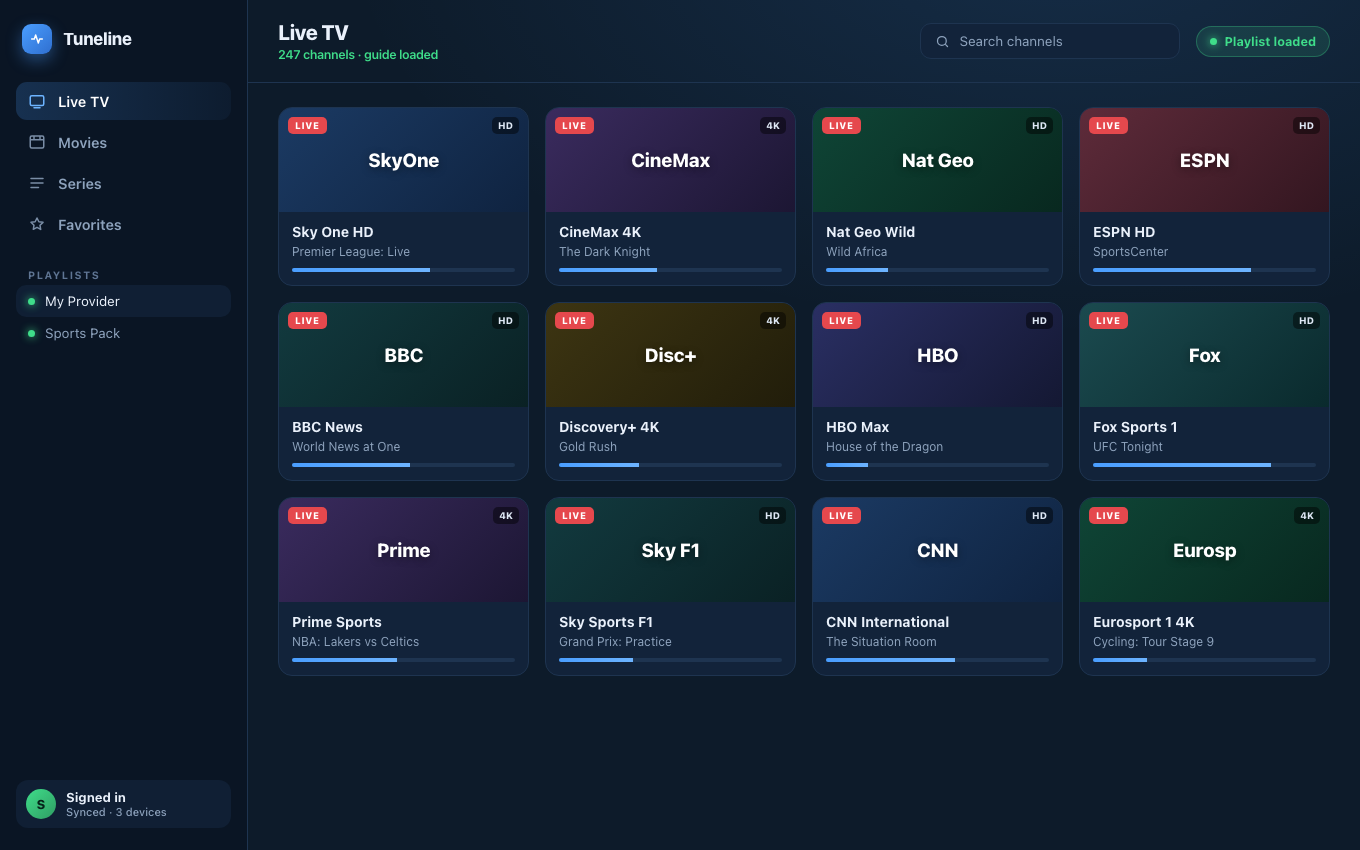
The same playlist, loading cleanly once the actual cause was found.
IPTV apps are terrible at error messages. You get a sentence like "Cannot communicate with your playlist. Be sure that your link is alive" and it tells you nothing useful — is the link dead? Is your subscription expired? Is it your Wi-Fi? Did you paste the wrong kind of URL?
Worse, every player words the same failure differently. "Error loading channels," "All playlists failed to load," "We couldn't read data from current playlist," "Playlist not found" — these are frequently the identical underlying fault wearing four different costumes.
This post is a decoder ring. Find your error, learn what it actually means, and fix it. We'll reference Tuneline where the player is genuinely the variable, but the diagnosis applies to any app.
First: the four causes behind almost every error
Before the table, internalise this. Nearly every IPTV error resolves to one of four faults:
- Wrong source type. You pasted an Xtream login into the M3U box, or a portal URL into the Xtream box. The player tries to read a login as a file.
- Dead or expired credentials. The subscription lapsed, the provider rotated the URL, or the line was cut.
- Connection limit reached. Your provider allows N simultaneous streams. You're already using N somewhere else.
- Codec or transport the player can't decode. The data arrives fine; the player can't read it.
Note what's not on that list: "your internet is broken." It's rarely the internet. If web pages load, your internet is fine.
The decoder table
| The error you saw | What it actually means | Start here |
|---|---|---|
| "Cannot communicate with your playlist" / "Be sure that your link is alive" | The player got no usable response from the URL. Usually a wrong source type or an expired line — not a dead internet | Causes 1 → 2 |
| "Error loading channels" | The playlist fetched, but parsing produced zero channels. Often an Xtream/portal URL added as M3U | Cause 1 |
| "All playlists failed to load" | Every source failed at once — that points at something shared: connection cap, DNS, or an expired account | Causes 3 → 2 |
| "We couldn't read data from current playlist" | The response arrived but wasn't a playlist — commonly an HTML error page or a login redirect | Cause 1 |
| "Playlist not found" / HTTP 404 | The URL is wrong or the provider moved it | Cause 2 |
| "Playlist is not working or your subscription has expired" | Honest one, at least. Verify the line before touching anything else | Cause 2 |
| "There is a problem with the streaming" | Generic playback failure — the list loaded, an individual stream didn't | Causes 3 → 4 |
| "This file cannot be played" / "Unsupported format" | Decoder mismatch, usually H.265/HEVC | Cause 4 — full guide |
| "Connection limit reached" / stream starts then dies | You're over your provider's simultaneous-stream cap | Cause 3 |
| Black screen, audio plays fine | Video codec unsupported or hardware decoding unavailable | Cause 4 — full guide |
The 60-second triage
Do these in order. Each one eliminates a whole class of causes.
Step 1 — Load any web page
If a browser loads, your internet is fine and you've eliminated the thing most people waste twenty minutes on. Move on.
Step 2 — Identify what you actually have
This single step fixes more "cannot communicate with your playlist" errors than everything else combined. Look at what your provider gave you:
- One long link ending in
.m3u/.m3u8, or containingget.php?username=…→ this is an M3U URL. - A server address + a username + a password, listed separately → this is an Xtream Codes login.
- A portal URL (often ending
/c/or/portal.php) plus a MAC address → this is a Stalker portal.
Adding one as another produces a confusing failure every time, because the player is trying to parse a login response as a channel list. If you're not sure which you have, we wrote a whole post on telling them apart: Portal code vs M3U vs Xtream.
Step 3 — Test the URL outside the player
Paste your M3U URL into a browser. What comes back tells you a great deal:
- A download prompt, or a wall of text starting
#EXTM3U→ the line is alive. The fault is in the player or the source type. Go to Step 4. - A blank page, an HTML error, or a login form → the line is dead, expired, or the URL is wrong. Contact your provider. No player can fix this.
- "Max connections reached" → cause 3. Go to Step 5.
For an Xtream login, visit http://your-server:port/player_api.php?username=USER&password=PASS. A healthy line returns JSON containing user_info with "status":"Active", plus max_connections and active_cons. An expired line says so plainly.
Step 4 — Try the same source in a different player
If the playlist loads elsewhere, the fault is your player — a source-type bug, a parser limitation, or a missing codec. If it fails everywhere, the fault is upstream and no app switch will save you.
This is also the fastest way to identify a codec problem. A stream that errors in a lightweight player but plays in a full media engine was never dead — it was undecodable. Tuneline uses a complete media engine (libmpv on desktop, ExoPlayer with a software fallback on Android), so H.265/HEVC feeds that fail in basic apps generally play. (Why codecs cause this.)
Step 5 — Count your open streams
Providers cap simultaneous connections, usually at 1 or 2. A stream on the TV, a stream on your phone, and a forgotten stream on a laptop can put you over. Symptoms are distinctive: everything worked yesterday, nothing works now, and "all playlists failed to load."
Close every other stream, wait roughly 60 seconds for the provider to release the slot, and retry. If that fixes it, you've found your cause. (How connection limits work.)
Errors that are actually your provider
Some failures no player can repair, and it's worth knowing when to stop debugging:
- The line expired. Nothing to fix. Renew, or move on.
- The provider rotated the URL. Common. Ask for the current one.
- The channel is dead at source. One channel fails, hundreds work — the feed itself is down.
- The provider is throttling or geo-blocking you. Streams stall at a consistent point regardless of device.
A blunt rule: if a fault reproduces in two different players on two different networks, it is not your player. It is your provider.
Errors that are actually the player
Conversely, these are worth switching apps over:
- HEVC/H.265 channels that never play while SD channels do. A decoder gap.
- A playlist that loads in one app and shows zero channels in another. A parser gap, usually around
#EXTGRPor unusual#EXTINFattributes. - Stalker portals that "can't communicate" in a player that never implemented the portal handshake. Many players advertise portal support and only ship the M3U half. (What a Stalker portal really is.)
- Streams that die on every seek or channel change. Buffer and reconnect handling.
Why Tuneline's errors read differently
We took the position that an error message should name the cause, not the symptom. When a source fails, Tuneline tries to distinguish "the server said no" from "the server said nothing" from "the server sent something I can't parse" — because those are three different problems with three different fixes, and collapsing them into "cannot communicate with your playlist" is how people end up rebooting a router that was never broken.
It doesn't always succeed. Some providers return HTTP 200 with an HTML error page, and no amount of care makes that unambiguous. But the aim is that the message points somewhere.
Download Tuneline, add your source, and if something fails, the message should at least tell you which of the four causes above you're looking at.
FAQ
What does "cannot communicate with your playlist" mean?
The player sent a request to your playlist URL and got nothing it could use. Despite the wording, it is usually not a network problem. In order of likelihood: you added the source as the wrong type (an Xtream login pasted into an M3U field), your subscription expired, or you're over your provider's connection limit.
Why do all my playlists fail to load at once?
Simultaneous failure across independent sources points at something they share. Almost always that's your provider connection cap, or — if the playlists come from the same provider — an expired account. It is very rarely a coincidence of separate faults.
Is "error loading channels" different from "playlist not found"?
Yes. "Playlist not found" means the URL returned nothing (a 404 — bad or moved URL). "Error loading channels" means the URL did return something, but the player parsed zero channels out of it. The second usually means you added the source as the wrong type.
My stream worked yesterday and fails today. What changed?
Check, in this order: (1) another device holding your connection slot, (2) subscription expiry date, (3) provider URL rotation. All three produce a "worked yesterday" pattern. A codec problem does not — codec problems fail consistently from day one.
Will a VPN fix these errors?
Only if your fault is geo-blocking or ISP throttling, which are the least common causes on this page. A VPN cannot revive an expired line, fix a wrong source type, or free a connection slot — and it will add latency. (Do you actually need a VPN?)
Still stuck? Work the four causes in order — source type, credentials, connection limit, codec. Install Tuneline and add your source; if it fails, it should tell you which one you're facing.
— Shamir
Share this article
Rather not troubleshoot? Tuneline handles this for you.
A free media player with hardware-accelerated playback and automatic reconnect built in — the two things most players leave off. Bring your existing playlist.
Download freeRelated articles
- Why Your Streams Only Break During the Match (2026)
- EPG Not Working on TiVimate or Firestick? Here's the Fix
- Your Player Is Asking for a Parental PIN You Never Set
- IPTV Subtitles Not Showing (or Disappearing When You Skip)
- 'This File Cannot Be Played' — Fixing Unsupported IPTV Streams
Read this article in another language
- EnglishIPTV Error Messages Decoded: What 10 Common Errors Actually Mean
- FrançaisMessages d'erreur IPTV décodés : ce que signifient réellement 10 erreurs courantes
- العربيةرسائل خطأ IPTV موضحة: ماذا تعني 10 أخطاء شائعة حقاً
- বাংলাআইপিটিভির ত্রুটির বার্তা বিশ্লেষণ: ১০টি সাধারণ ত্রুটির প্রকৃত অর্থ কী
- ČeštinaChybové hlášky IPTV přeložené: Co skutečně znamená 10 běžných chyb
- DeutschIPTV-Fehlermeldungen entschlüsselt: Was 10 häufige Fehler wirklich bedeuten
- ΕλληνικάΑποκωδικοποίηση μηνυμάτων σφάλματος IPTV: Τι σημαίνουν πραγματικά 10 συνηθισμένα σφάλματα
- EspañolMensajes de error de IPTV decodificados: qué significan realmente 10 errores comunes
- Español (Latinoamérica)Mensajes de error de IPTV explicados: qué significan realmente 10 errores comunes
- SuomiIPTV-virheilmoitukset avattuna: mitä 10 yleistä virhettä oikeasti tarkoittavat
- हिन्दीIPTV एरर मैसेज का मतलब: 10 आम गलतियाँ वास्तव में क्या बताती हैं
- MagyarAz IPTV-hibaüzenetek megfejtve: mit jelent valójában 10 gyakori hiba
- ItalianoMessaggi di Errore IPTV Decodificati: Cosa Significano 10 Errori Comuni
- 한국어IPTV 오류 메시지 해석: 10가지 일반적인 오류가 실제로 의미하는 것
- Bahasa MelayuMaksud Sebenar Mesej Ralat IPTV: Erti Sebenar 10 Ralat Lazim
- NederlandsIPTV-foutmeldingen ontcijferd: wat 10 veelvoorkomende fouten eigenlijk betekenen
- NorskIPTV-feilmeldinger forklart: Dette betyr 10 vanlige feil egentlig
- PolskiDekodowanie komunikatów o błędach IPTV: Co naprawdę oznacza 10 typowych błędów
- PortuguêsMensagens de Erro IPTV Decodificadas: O Que 10 Erros Comuns Realmente Significam
- РусскийРасшифровка сообщений об ошибках IPTV: что на самом деле означают 10 распространённых ошибок
- СрпскиPoruke o greškama u IPTV-u: šta zapravo znači 10 najčešćih grešaka
- SvenskaIPTV-felmeddelanden förklarade: Vad 10 vanliga fel faktiskt betyder
- TagalogDecodificado ang mga Mensahe ng Error sa IPTV: Ano Talaga ang Ibig Sabihin ng 10 Karaniwang Error
- TürkçeIPTV Hata Mesajları Çözüldü: 10 Yaygın Hatanın Gerçek Anlamı
- Tiếng ViệtCác Thông Báo Lỗi IPTV Được Giải Mã: Ý Nghĩa Thực Sự Của 10 Lỗi Phổ Biến
Tuneline is a media player application. It does not provide, host, or distribute any content. You bring your own playlist, exactly as you would with VLC.