
By Shamir
'This File Cannot Be Played' — Fixing Unsupported IPTV Streams
Most 'file cannot be played' errors aren't a dead stream — they're a decoder mismatch. Point the feed at a player with a full codec engine and it just plays.
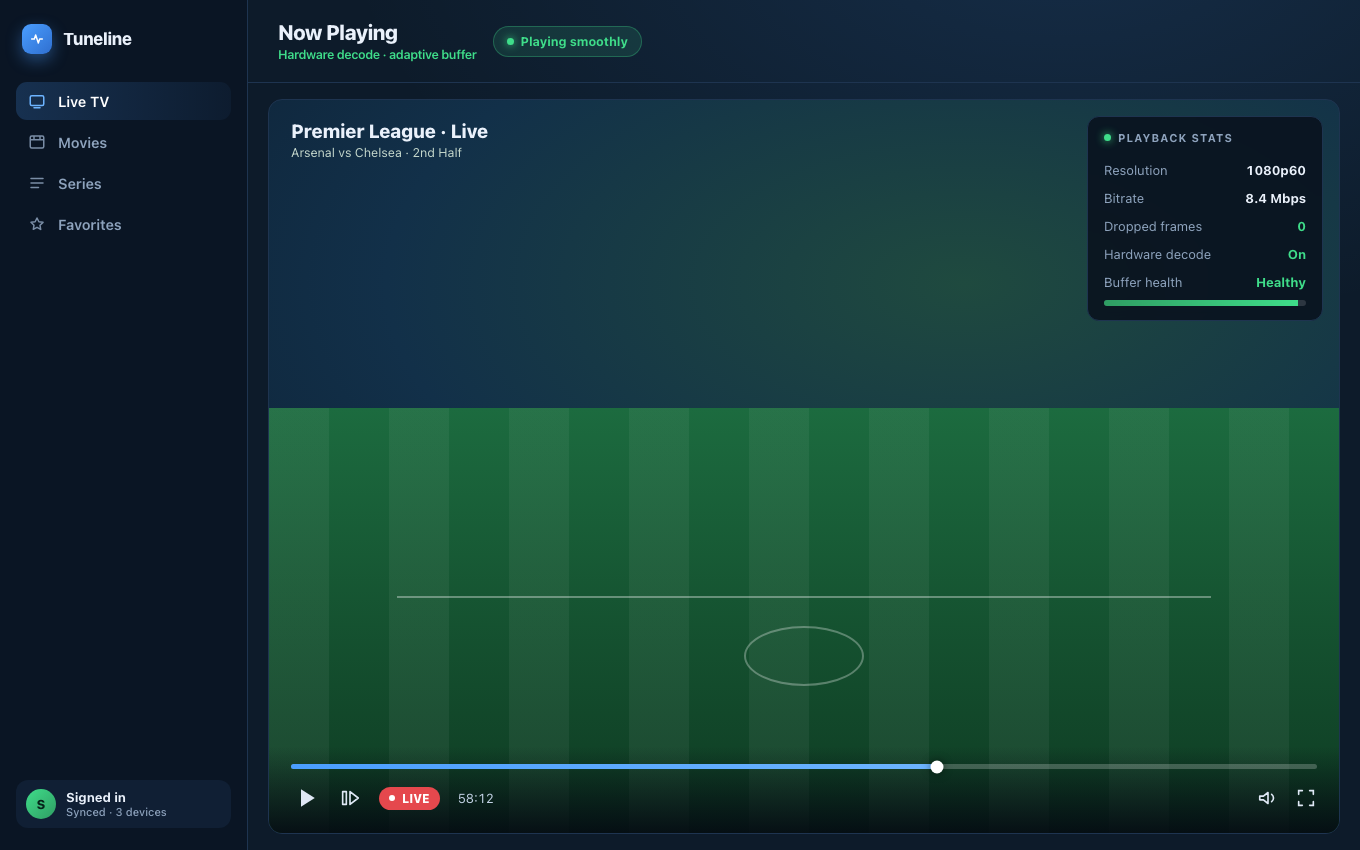
The same stream, playing cleanly once a capable decoder handles it.
You tap a channel and instead of a picture you get "this file cannot be played," "unsupported format," "no compatible source," or a codec error. The stream worked yesterday, or works for a friend, but here it just refuses. It's one of the most frustrating IPTV errors because the message tells you almost nothing about why.
This guide breaks down what that error actually means and gives you a step-by-step fix. We'll reference Tuneline where the player matters, but the diagnosis applies to any app.
What "Cannot Be Played" Really Means
The error is almost always about decoding, not about the stream being broken. Video is compressed with a codec (H.264, H.265/HEVC, and so on) and wrapped in a container or transport (MPEG-TS, HLS, MP4). For a stream to play, your player has to:
- Reach the stream (network is fine).
- Recognize the container/transport it arrives in.
- Have a decoder for the specific codec inside.
"Cannot be played" means one of steps 2 or 3 failed: the player got the data but doesn't know how to decode what's inside. That's why the same feed plays in one app and errors in another — the feeds are identical, the decoders aren't.
The Usual Culprits
Here's what's actually behind it, roughly in order of how often it's the cause:
- A codec the player can't handle. The single most common one is H.265 / HEVC. Many providers encode in HEVC to save bandwidth, and plenty of players — especially lightweight or older ones — can't decode it. You get a black screen or "unsupported format."
- A transport the player doesn't speak. Some feeds are raw MPEG-TS, some are HLS (
.m3u8), some are MP4. A player built for one may choke on another. - The wrong source type entirely. If you pasted a Stalker portal or an Xtream login into the "M3U file" box, the player tries to read a live login as a file and reports it can't play it. (See which login you actually have.)
- A genuinely dead or offline stream. Sometimes the channel really is down at the source. This is less common than people assume, but it happens.
- Hardware decoding turned off or unavailable. On some devices, HEVC or 4K only decodes with hardware acceleration; if it's disabled, the player falls back and fails.
Step-by-Step Fix
Work through these in order — they're arranged so the most likely, lowest-effort fixes come first.
Step 1 — Confirm it's not just one channel
Play two or three other channels from the same playlist.
- They all fail → the problem is your source type, your subscription, or your connection, not the codec. Skip to Step 4.
- Only some fail → it's per-channel, which points straight at a codec or a specific dead feed. Continue.
Step 2 — Suspect HEVC / H.265 first
If a specific channel (often an HD or 4K one) fails while SD channels play, HEVC is the prime suspect. The real fix is a player with a software decoder that handles HEVC regardless of the device's hardware. Tuneline uses a full media engine (the same lineage as desktop-grade players) that decodes H.264 and H.265 in software when hardware support is missing — so an HEVC feed that errors in a basic app plays here.
Step 3 — Try the same channel in a stronger player
The fastest confirmation that it's a decoder issue: open the exact same playlist in a player with a complete codec set. If the channel that said "cannot be played" now plays, you've proven it was never a dead stream — it was the decoder. That's the whole fix.
Step 4 — Re-check your source type
If everything fails with a format error, you may have added the source wrong:
- A single long link ending in
.m3u/.m3u8or withget.php→ add as M3U / URL. - A URL + username + password → add as Xtream Codes.
- A URL ending in
/c/or/stalker_portal/+ a MAC → add as Stalker Portal.
Pasting one into another's box produces exactly this error even though your credentials are correct.
Step 5 — Test whether the stream is actually alive
If a single channel still won't play in a capable player and the source type is right, the feed itself may be down. Ask someone else on the same provider to try that channel, or check whether the provider lists it as active. If it's dead at the source, no player can fix it — that's on the provider.
Quick Diagnosis Table
| What you see | Most likely cause | Fix |
|---|---|---|
| One HD/4K channel fails, SD works | HEVC/H.265 the player can't decode | Use a player with a full software decoder |
| Every channel fails with a format error | Wrong source type added | Match source type to your login |
| Channel plays for others, not you | Codec or hardware-decode limit on your device | Switch to a player that decodes in software |
| Channel down for everyone | Dead feed at the provider | Nothing player-side; contact provider |
| Plays then stops with an error | Transport/re-encode glitch or buffering | Restart stream; check connection |
Why the Player Is Usually the Answer
Notice how many rows above resolve to "use a player with a complete decoder." That's not a coincidence. "Cannot be played" is fundamentally a decoding gap, and the reliable way to close it is a player that carries its own full codec engine instead of depending on whatever the device happens to support.
Tuneline is built on a desktop-grade media engine that decodes H.264, H.265/HEVC, and the common IPTV transports in software when needed — on Windows, macOS, Linux, Android, Android TV, Fire TV, iPhone, iPad, and Apple TV. So the streams that error out in lightweight apps generally just play.
Download Tuneline — a full codec engine means far fewer "cannot be played" dead ends.
Related: Portal Code vs M3U vs Xtream: Which Login Do You Have? · How to Fix IPTV Buffering
Share this article
Rather not troubleshoot? Tuneline handles this for you.
A free media player with hardware-accelerated playback and automatic reconnect built in — the two things most players leave off. Bring your existing playlist.
Download freeRelated articles
- Why Your Streams Only Break During the Match (2026)
- EPG Not Working on TiVimate or Firestick? Here's the Fix
- IPTV Error Messages Decoded: What 10 Common Errors Actually Mean
- Your Player Is Asking for a Parental PIN You Never Set
- IPTV Subtitles Not Showing (or Disappearing When You Skip)
Read this article in another language
- English'This File Cannot Be Played' — Fixing Unsupported IPTV Streams
- Français« Ce fichier ne peut pas être lu » — Réparer les flux IPTV non pris en charge
- العربيةهذا الملف لا يمكن تشغيله' — إصلاح بث IPTV غير المدعوم
- বাংলা‘এই ফাইলটি চালানো যাচ্ছে না’ — সমর্থিত নয় এমন IPTV স্ট্রিম ঠিক করার উপায়
- Čeština„Tento soubor nelze přehrát“ — jak opravit nepodporované IPTV streamy
- DanskDenne fil kan ikke afspilles — sådan løser du IPTV-streams, der ikke understøttes
- Deutsch'Diese Datei kann nicht wiedergegeben werden' — Nicht unterstützte IPTV-Streams beheben
- Ελληνικά«Αυτό το αρχείο δεν μπορεί να αναπαραχθεί» — Πώς διορθώνεται η αναπαραγωγή μη υποστηριζόμενων ροών IPTV
- EspañolEste archivo no se puede reproducir': cómo solucionar transmisiones de IPTV no compatibles
- Español (Latinoamérica)«No se puede reproducir este archivo»: cómo solucionar transmisiones IPTV no compatibles
- SuomiTätä tiedostoa ei voi toistaa – näin korjaat yhteensopimattomat IPTV-lähetykset
- हिन्दीयह फ़ाइल चलाई नहीं जा सकती — असमर्थित IPTV स्ट्रीम को ठीक करना
- Magyar„Ez a fájl nem játszható le” – nem támogatott IPTV-stream javítása
- Italiano«Questo file non può essere riprodotto» — Come correggere i flussi IPTV non supportati
- 한국어이 파일은 재생할 수 없습니다' — 지원되지 않는 IPTV 스트림 해결하기
- Bahasa Melayu‘Fail Ini Tidak Boleh Dimainkan’ — Membetulkan Strim IPTV yang Tidak Disokong
- Nederlands'Dit bestand kan niet worden afgespeeld' — Het repareren van niet-ondersteunde IPTV-streams
- Norsk«Denne filen kan ikke spilles av» – slik løser du IPTV-strømmer som ikke støttes
- Polski"Ten plik nie może być odtwarzany" — naprawianie nieobsługiwanych strumieni IPTV
- PortuguêsArquivo Não Pode Ser Reproduzido' — Corrigindo Fluxos IPTV Não Suportados
- Русский«Файл невозможно воспроизвести» — исправление неподдерживаемых потоков IPTV
- Српски„Ova datoteka ne može da se reprodukuje“ — rešavanje problema s nepodržanim IPTV strimovima
- SvenskaDet går inte att spela upp filen – så åtgärdar du IPTV-strömmar som inte stöds
- TagalogHindi Ma-play ang File' — Pag-aayos ng mga Hindi Supported na IPTV Stream
- TürkçeBu Dosya Oynatılamıyor' — Desteklenmeyen IPTV Akışlarını Düzeltme
- Tiếng Việt"Không Thể Phát Tệp Này' — Sửa Lỗi Luồng IPTV Không Được Hỗ Trợ
Tuneline is a media player application. It does not provide, host, or distribute any content. You bring your own playlist, exactly as you would with VLC.